Pixelfed
Pixelfed is a decentralized, open-source photo-sharing platform similar to Instagram, but part of the Fediverse.
Description
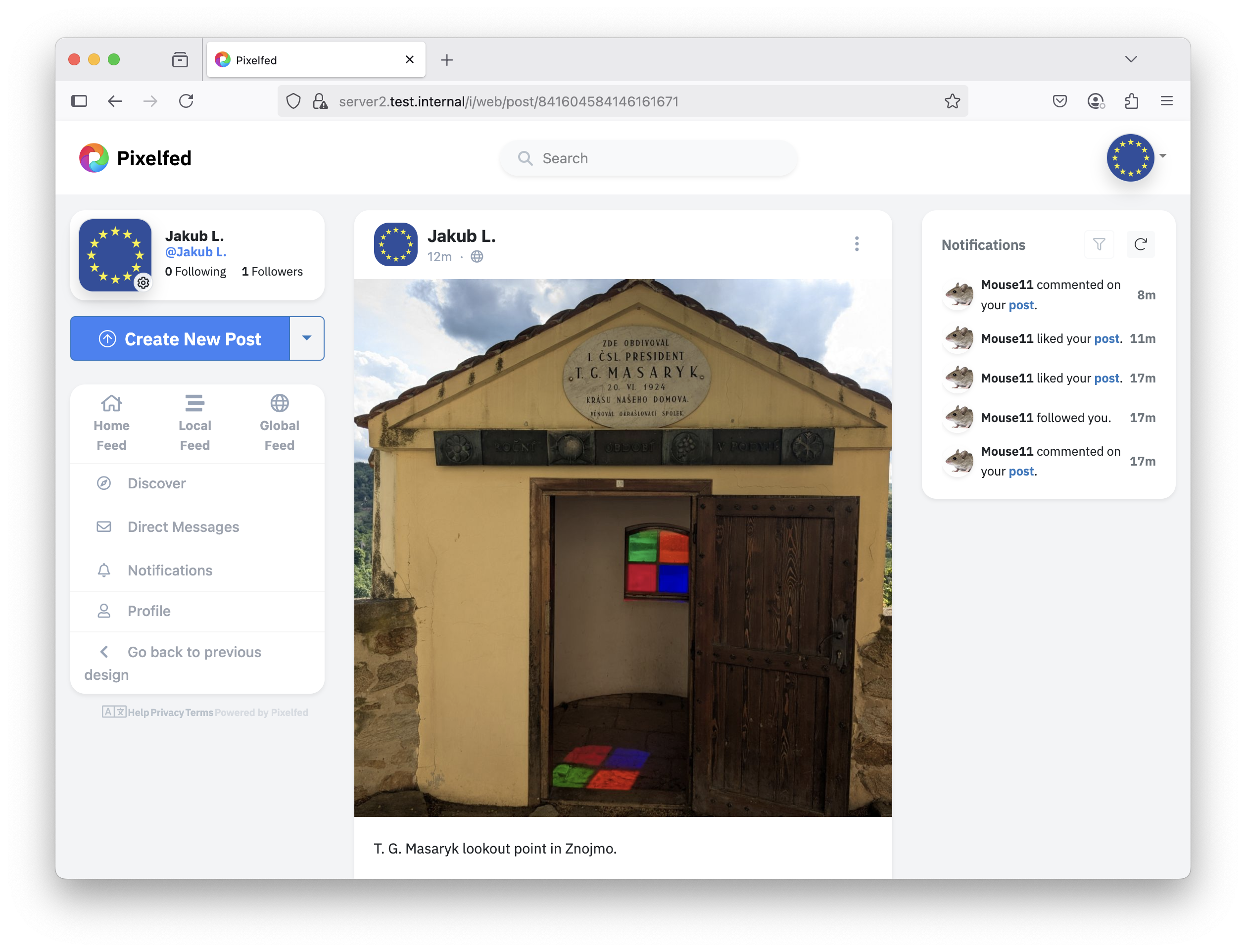
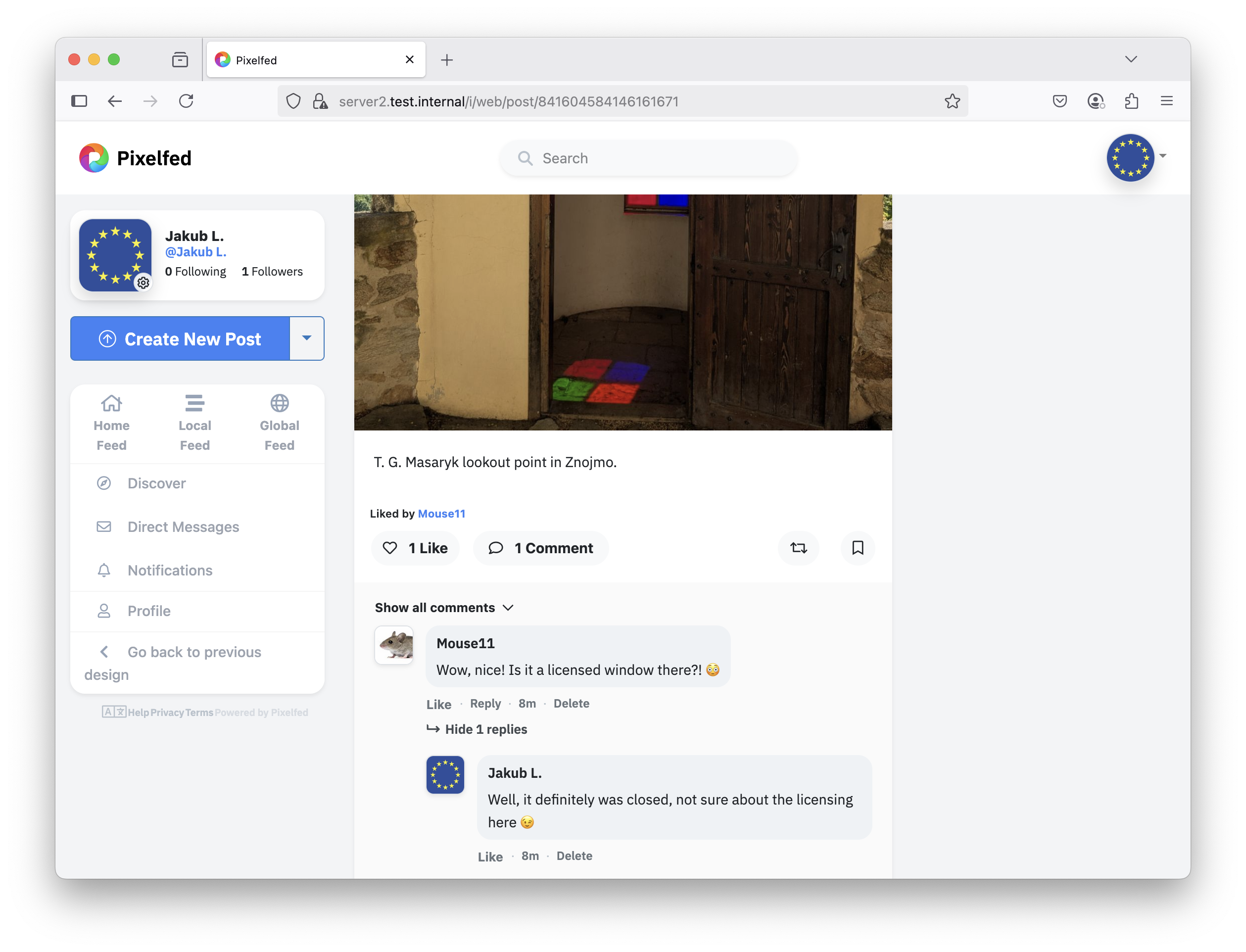
Pixelfed is a decentralized and open-source photo-sharing platform designed to prioritize user privacy and control. It offers a familiar experience similar to Instagram, but without ads or data tracking. As part of the Fediverse, it allows users to interact with people across other federated platforms like Mastodon.
Comparison
Alternative to: Instagram
✅ Full control over your data
✅ No extensive data collection and mining
✅ Can be administrated from web interface
✅ Android app available (could not test)
❌ Higher responsibility for security and backups
❌ The installation process (if you install into your instance of operating system) is not straightforward
Highlights
- Usage: ★★★★★
- The AJAX-based web interface is very well-designed and user-friendly.
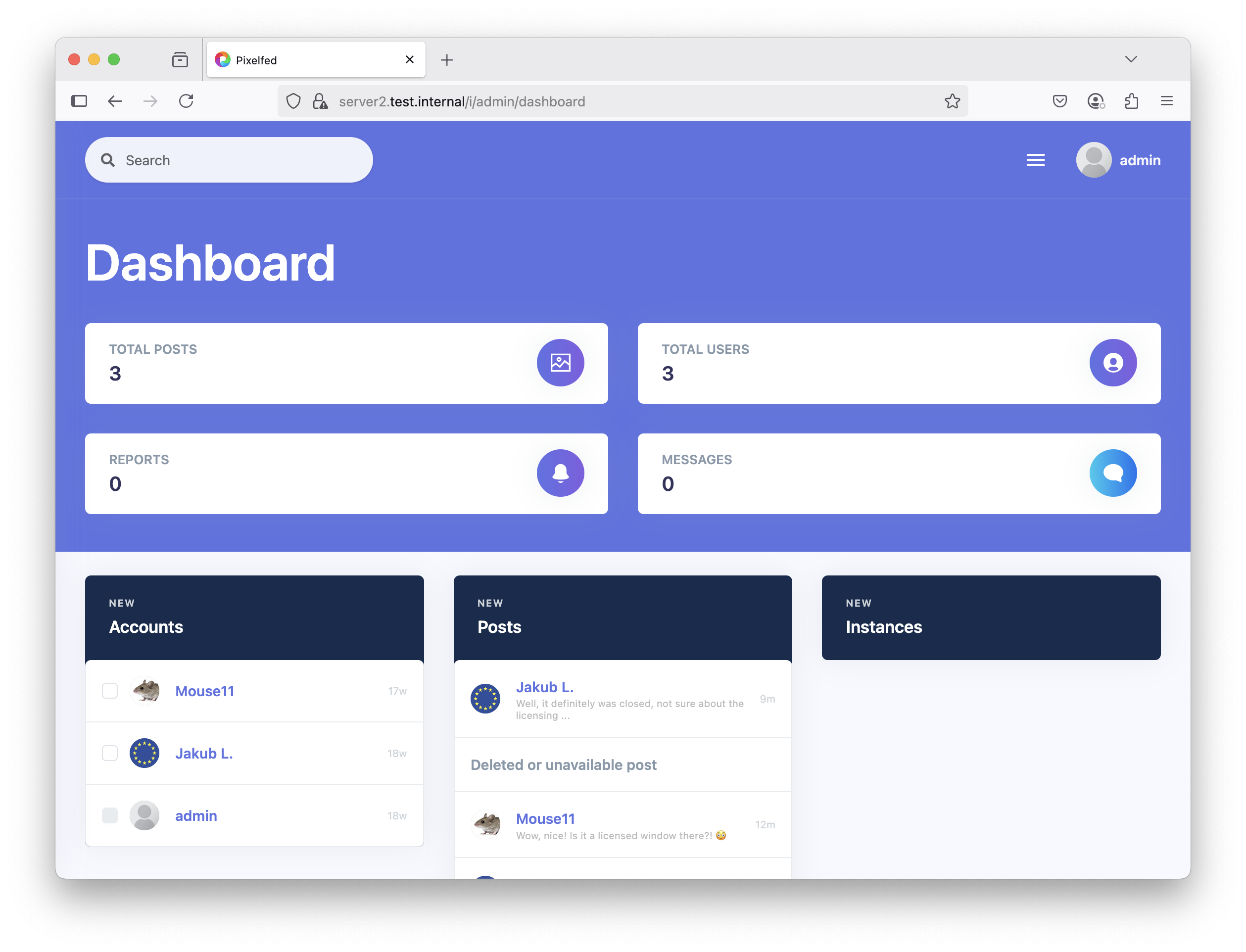
- Management is possible via the command line interface (CLI) and a web dashboard.
- The task queue system is well-implemented as a system service, which I like.
- There is an Android mobile app called PixelDroid, but I was unable to connect using version 1.0.beta39 on Android 15. Apache logs showed no connection attempts from the app, but I did not have time to investigate further.
- Federation: ★★★★★
- I have not tried connecting to the federation, but according to the documentation, Pixelfed supports sharing activities across federated Pixelfed servers.
- Installation: ★★★★★
- Installing Pixelfed on a self-hosted system is relatively complex.
- Additional resources are often needed to be read to properly configure various components.
- For comments and likes to work correctly, running
php artisan passport:installafter installation is required, but at the time of writing, this step was missing from the official installation documentation.
Compatibility
| Server OS Compatibility | Linux (e.g., Debian, Ubuntu, CentOS); (un-official Docker container available) |
|---|---|
| Client Compatibility | Modern web browsers (Chrome, Firefox, Safari, Edge); Windows; Linux; MacOS; Android |
| Programming Language | PHP, JavaScript |
| Database | MySQL, MariaDB, PostgreSQL |
| Web Server | Apache, Nginx |
| Dependencies | PHP (+ modules, plase see the install instructions), Redis |
| License | GNU AFFERO GENERAL PUBLIC LICENSE (free and open-source) |
| Federation | ActivityPub |
| Configuration | CLI, Web-based Interface |
| Community & Support | Active Pixelfed community; forums; GitHub; providers available (you can use a public instance) |
Installation and Practical Tips
Prerequisites
Let's assume a clean installation of Debian 12 (using the netinstall medium).
Dependencies and PHP
apt -y install software-properties-common ca-certificates lsb-release apt-transport-https git wget unzip redis-server ffmpeg python3-launchpadlib cron curl sudo
Add Ondřej Surý repository for the latest PHP 8.3:
curl -sSL https://packages.sury.org/php/README.txt | bash -x
apt update
Now install new PHP 8.3 and other dependencies:
apt -y install php8.3 php-cli php-zip php-gd jpegoptim optipng pngquant php-bcmath php-curl php8.3-xml php-intl php-mbstring php8.3-mysql
Install Composer
wget -O composer-setup.php https://getcomposer.org/installer
php composer-setup.php --install-dir=/usr/local/bin --filename=composer
composer self-update
Install MariaDB
apt -y install mariadb-server
Run this command and change root password; answer yes to all the security questions:
mariadb-secure-installation
Start MariaDB terminal:
mariadb
And create the database and set the password:
create database pixelfed;
grant all privileges on pixelfed.* to 'pixelfed'@'localhost' identified by '<set_pixelfed_database_password>';
flush privileges;
exit
Install Apache2
Install the Apache2 webserver and set all the required modules:
apt -y install apache2 php8.3-fpm
a2enmod rewrite proxy_fcgi setenvif ssl
a2enconf php8.3-fpm
a2ensite default-ssl.conf
For production deployment, it is strongly recommended to use Certbot or a similar tool for Let's Encrypt certificates.
Now edit the Apache configuration:
nano /etc/apache2/sites-enabled/000-default.conf
And change:
DocumentRoot /var/www/html
To the following (we will install Pixelfed to this directory later):
DocumentRoot /var/www/pixelfed/public
Now edit the same for the SSL vhost:
nano /etc/apache2/sites-enabled/default-ssl.conf
Again, change:
DocumentRoot /var/www/html
To:
DocumentRoot /var/www/pixelfed/public
Finally, edit the Apache config file:
nano /etc/apache2/apache2.conf
And change:
Options Indexes FollowSymLinks
AllowOverride None
Require all granted
To:
Options Indexes FollowSymLinks
AllowOverride All
Require all granted
And restart the webserver:
systemctl restart apache2
Prepare and Install Pixelfed
Lets prepare the PHP-FPM for Pixelfed:
cd /etc/php/8.3/fpm/pool.d/
cp www.conf pixelfed.conf
sed -i 's/^\[.*\]$/\[pixelfed\]/g' /etc/php/8.3/fpm/pool.d/pixelfed.conf
sed -i 's/^listen *\=.*$/listen = \/run\/php\/pixelfed.sock/g' /etc/php/8.3/fpm/pool.d/pixelfed.conf
systemctl restart php8.3-fpm
Now prepare the Redis for Pixelfed:
sed -i 's/^port *[0-9][0-9]*$/port 0/g' /etc/redis/redis.conf
sed -i 's/^# *unixsocket * .*$/unixsocket \/run\/redis\/redis-server.sock/g' /etc/redis/redis.conf
sed -i 's/^# *unixsocketperm * .*$/unixsocketperm 770/g' /etc/redis/redis.conf
To allow access to Redis from the webserver:
groupmod -a -U www-data redis
And finally:
systemctl restart redis
Now, download the Pixelfed application and setup the rights and dependencies:
cd /var/www/
git clone -b dev https://github.com/pixelfed/pixelfed.git pixelfed
cd pixelfed
chown www-data:www-data . -R
find . -type d -exec chmod 755 {} \;
find . -type f -exec chmod 644 {} \;
sudo -u www-data composer install --no-ansi --no-interaction --optimize-autoloader
Create a systemd service for Pixelfed:
nano /etc/systemd/system/pixelfed.service
Insert the following:
[Unit]
Description=Pixelfed task queueing via Laravel Horizon
After=network.target
Requires=mariadb
Requires=php-fpm
Requires=redis
Requires=apache2

[Service]
Type=simple
ExecStart=/usr/bin/php /var/www/pixelfed/artisan horizon
User=www-data
Restart=on-failure

[Install]
WantedBy=multi-user.target
Start Pixelfed:
systemctl restart pixelfed
Configure Pixelfed
cp .env.example .env
nano .env
Set at least the following values (adjust the rest to your needs):
APP_URL="https:///pixelfed"
APP_DOMAIN=""
ADMIN_DOMAIN=""
SESSION_DOMAIN=""
DB_PASSWORD=""
REDIS_SCHEME="unix"
REDIS_PORT="0"
And add the followng new option:
REDIS_PATH="/run/redis/redis-server.sock"
Now do the following steps to finish the installation:
chown www-data:www-data .env
php artisan key:generate
php artisan storage:link
php artisan migrate --force
php artisan import:cities
php artisan route:cache
php artisan view:cache
This step is missing in the installation documentation but is necessary for enabling the API for comments and likes to work properly:
php artisan passport:install
Run the following command every time you make changes to the .env configuration file:
php artisan config:cache
Add admin and regular users using:
php artisan user:create
Make sure to include an email address for login purposes.
Edit crontab:
crontab -e
And add the following line:
* * * * * /usr/bin/php /var/www/pixelfed/artisan schedule:run >> /dev/null 2>&1
References and Additional Info:
- Pixelfed Installation Documentation
- [How to Install and Use PHP Composer on Debian 12](https://wiki.crowncloud.net/?How_to_Install_and_use_PHP_Composer_on_Debian_12
Other Details
Developer: Daniel Supernault, Pixelfed community