KiCad
KiCad is a free and open source electronics design application (EDA) that can handle everything from the most basic schematic to a complex hierarchical design with hundreds of sheets. It allows electronics designers to use a toolchain that itself is technically transparent, and that can be customised when needed. KiCad has already been successfully used for key open hardware projects such as the LibreRouter, the HackRF, MNT Reform and UPSAT. This project will contribute to furthering the mission of providing professional level tools for users who design electronics for a living.
Schematic Editor Features
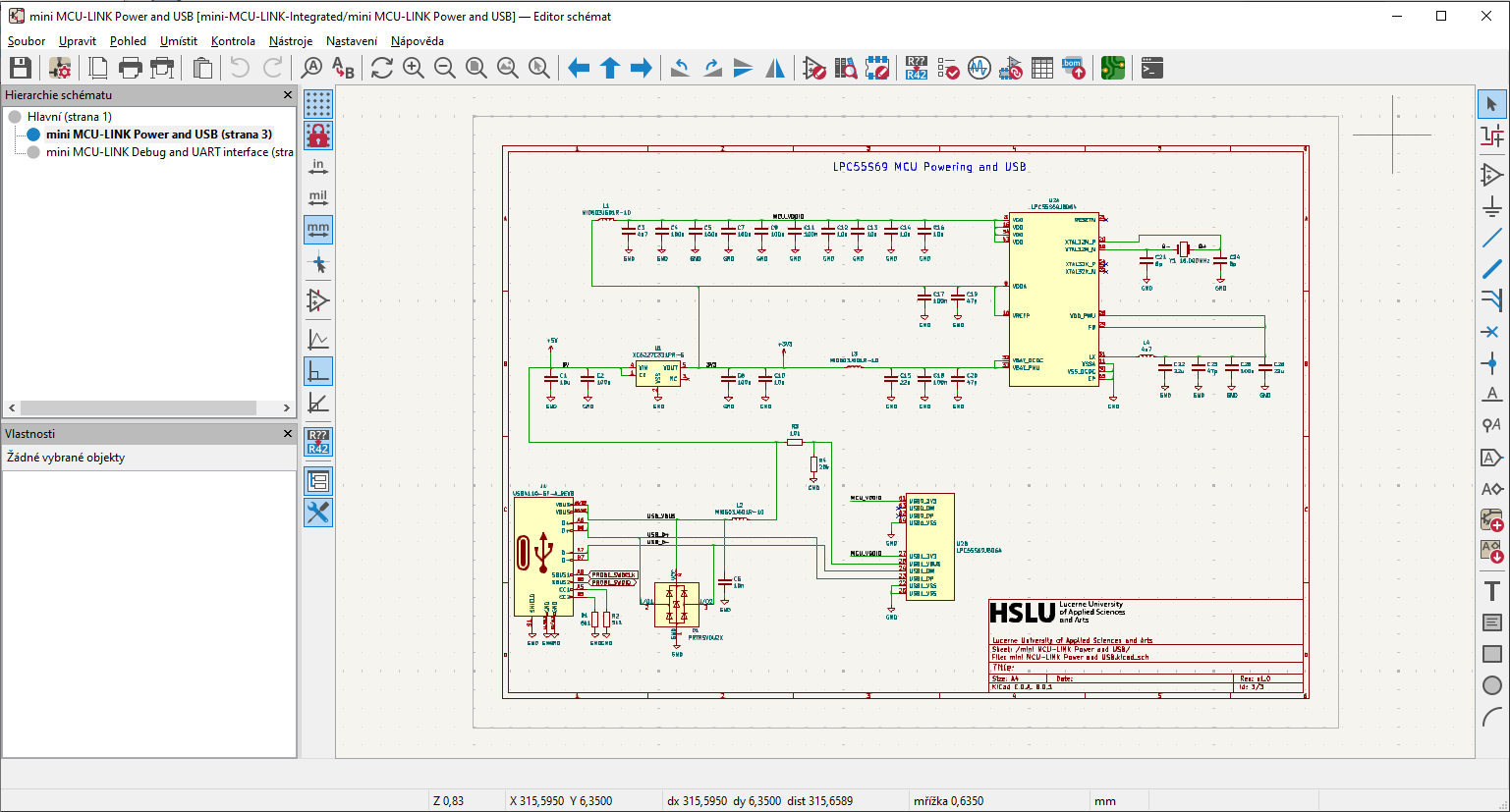
KiCad provides a capable open-source schematic editor that balances usability with advanced functionality. The Eeschema module in KiCad offers hierarchical design support, ERC checking, and an extensive component library that is continuously updated by the community. Unlike Altium, KiCad does not have a built-in cloud collaboration system, but it allows version control via external Git integration. While the interface may not be as polished as commercial counterparts, it remains an efficient and highly flexible tool, particularly for small-to-medium projects and users who prefer open-source solutions. Furthermore, KiCad supports SPICE simulation through integration with external simulation tools, allowing users to verify circuit behavior before PCB layout. An example of how the schematic editor GUI looks like in KiCAD environment is shown in the following Figure.
PCB Layout Editor Features
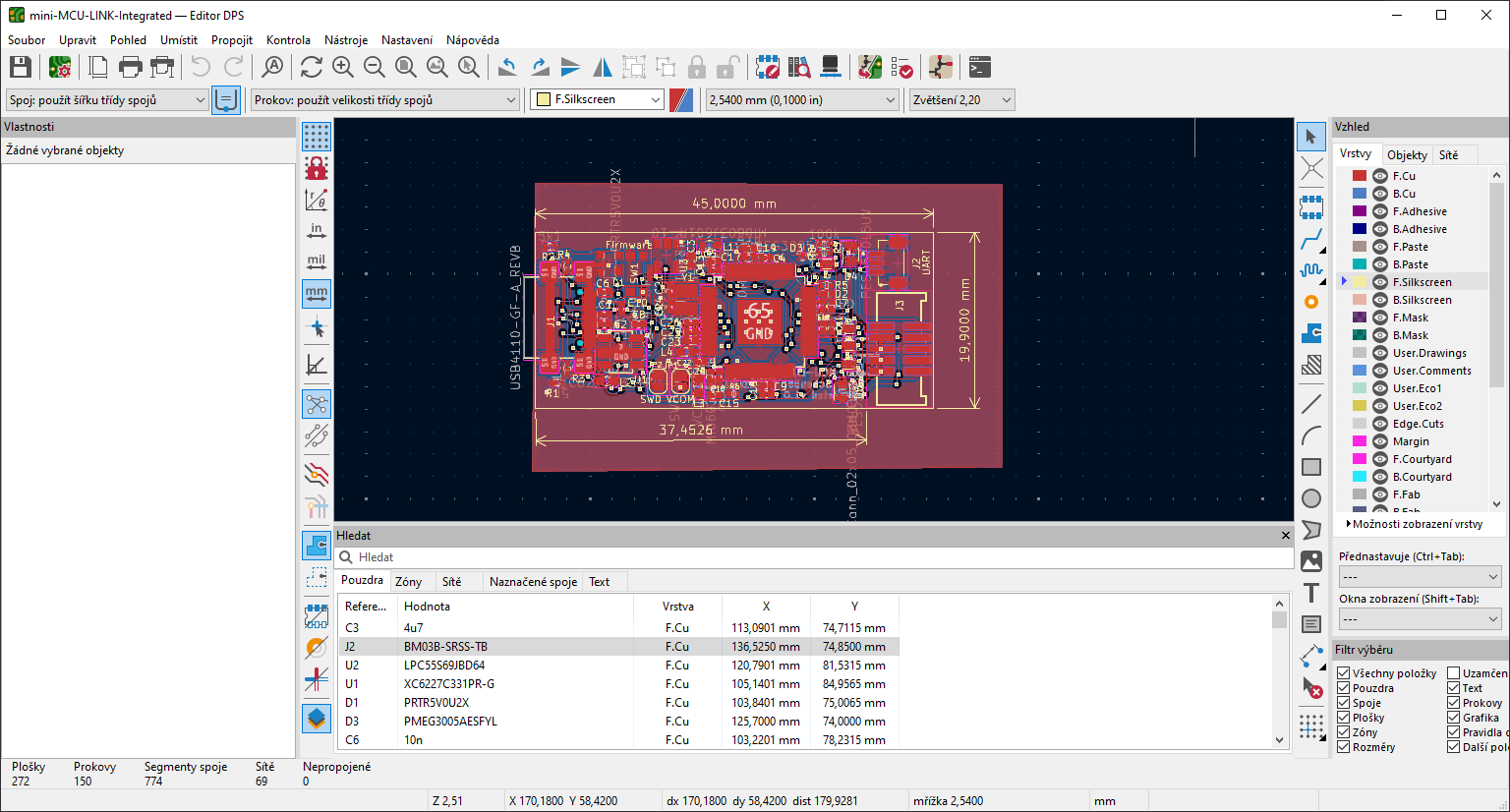
KiCad provides a powerful open-source PCB layout editor that competes with many commercial tools in terms of capabilities. It supports multi-layer PCB design, differential pair routing, and interactive router features that assist designers in placing and routing components efficiently. The PCBNew module in KiCad allows users to visualize their designs in 3D to check component placement and board alignment. While it lacks advanced AI-driven routing and some high-end simulation tools found in Altium, KiCad compensates with strong design rule enforcement, a flexible user interface, and community-driven plugin support. An example of how the PCB editor GUI in action like in KiCAD environment is shown in the following Figure.
Components Libraries and Management
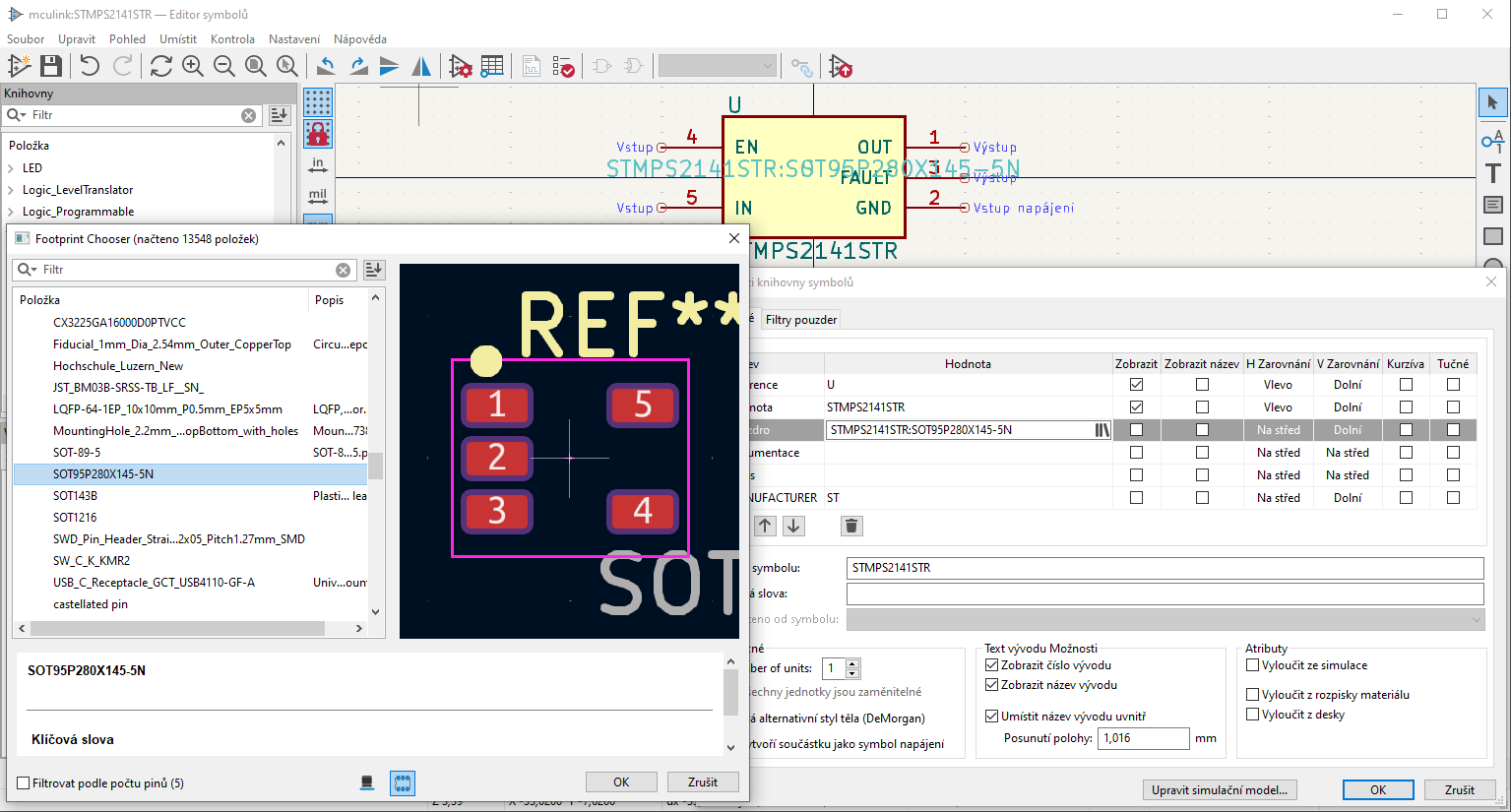
KiCad offers a flexible and open-source approach to component library management, giving users full control over how they organize and create symbols, footprints, and 3D models. KiCad uses a separate library structure, where schematic symbols and PCB footprints are managed independently but can be linked during design. It supports Git-based version control, allowing teams to manage libraries collaboratively while maintaining changes and history tracking. The Library Manager in KiCad provides an easy way to add, modify, and share components, while community-driven library contributions offer a large selection of pre-existing symbols and footprints. Creating new components in KiCad requires manual entry of parameters and symbols, but built-in wizards simplify the process, making it accessible even for beginners. An example of open-source GUI for components creation and management in KiCAD, which is roughly matching the capabilities of Altium Designer, is shown in the following Figure.
Generation of Production Data
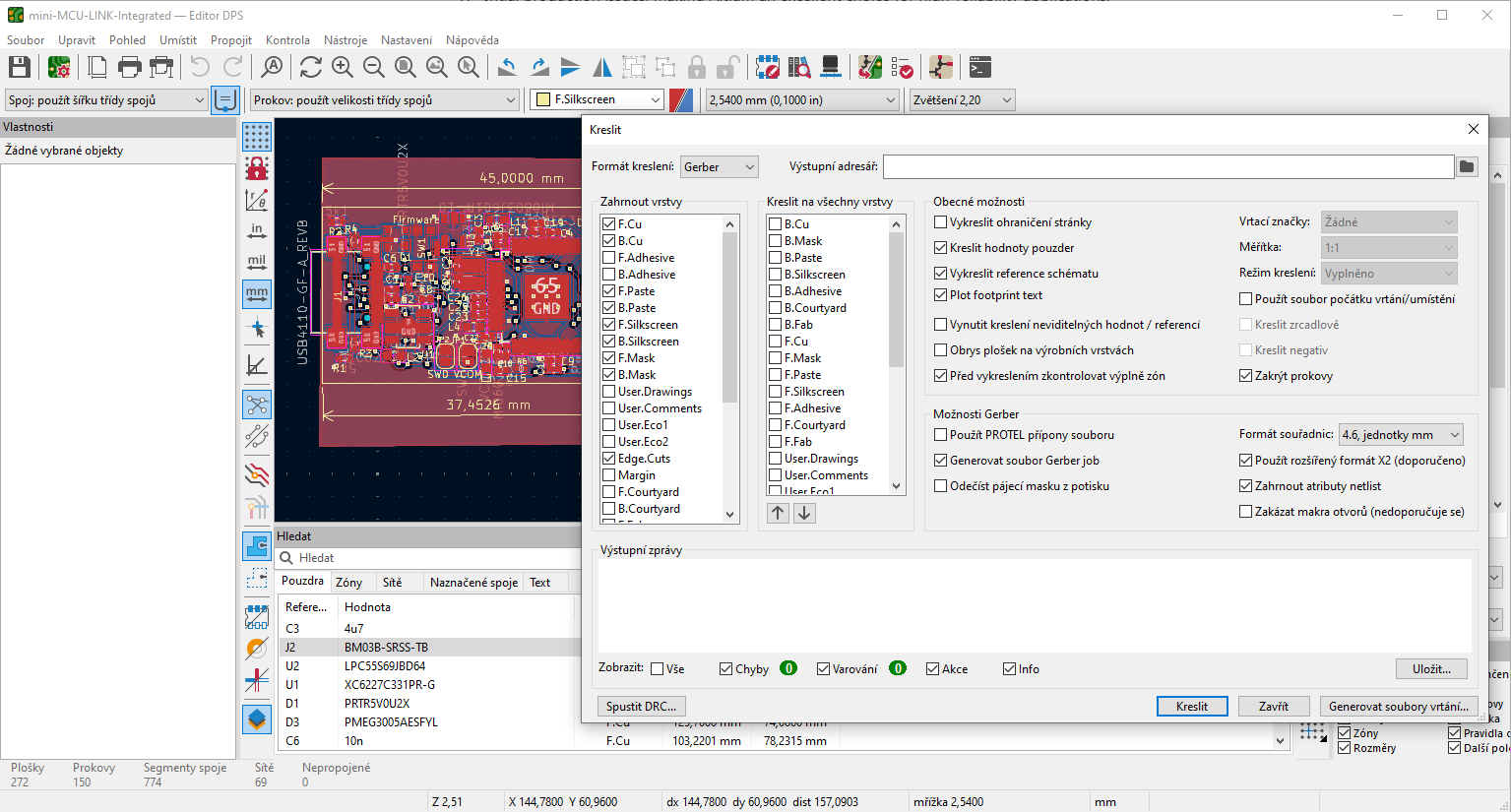
KiCad provides a flexible and open-source solution for generating fabrication outputs, supporting standard formats such as Gerber (RS-274X), Excellon drill files, BOM, and IPC-D-356 netlist files. The Gerber Viewer included in KiCad allows users to inspect output files to ensure accuracy before submission. While it lacks a built-in cloud collaboration feature like Altium, KiCad’s DRC and DFM checks help catch design errors before fabrication. Additionally, KiCad supports position files for PCB assembly and can generate outputs compatible with pick-and-place machines. Though it does not offer as many automated documentation tools as Altium, KiCad remains a reliable option for small to medium-sized projects, especially for users looking for a cost-effective solution. An approach to the generation of various output data types in KiCAD tool is shown is shown in the following Figure.